

Μετοχές on YouTube,
inside your AI.
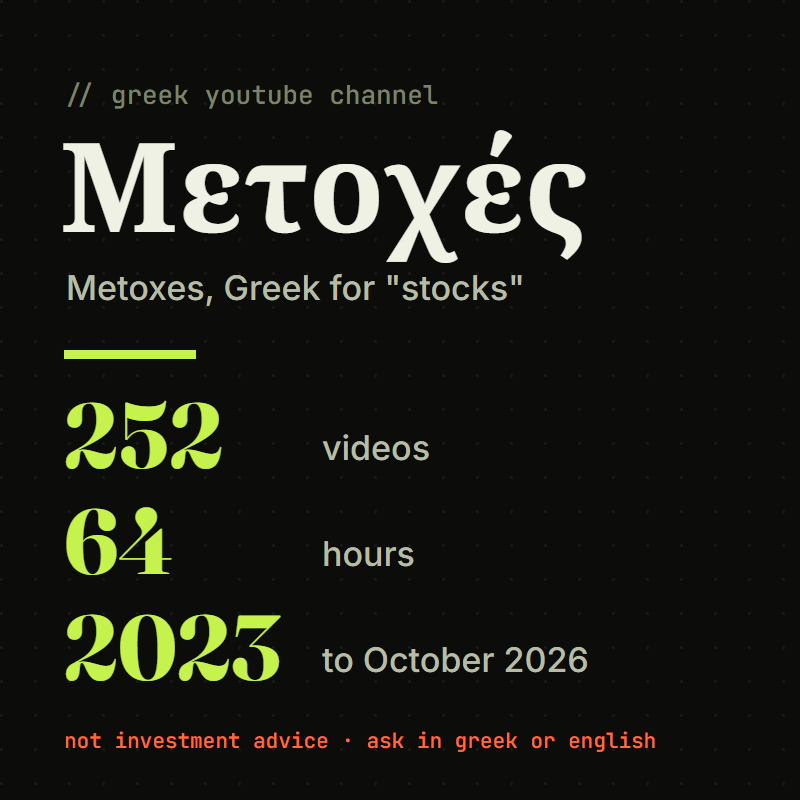
A free add-on for Claude and ChatGPT. Ask about a company, a fund or the market, in Greek or in English, and get what the Greek investing channel Μετοχές (Metoxes) said about it in 252 videos, with the date and a link to the exact moment.
Who is behind Μετοχές?
Μετοχές (Metoxes, Greek for “stocks”) is a Greek YouTube channel about investing in the stock market. Its host, Άγγελος, explains companies, funds and the market in Greek, and says on camera what he buys and sells.
- He talks most about large US companies such as Meta, AMD, Amazon, Tesla, Google and Nvidia, and about index funds such as the S&P 500.
- He gives his view on a company with a date and comes back to it in later videos, so you can see how his view changed.
- He says it himself: he is not a financial adviser («δεν είμαι οικονομικός σύμβουλος»), and you should do your own research before any investment.
What it is built from: 252 of his long-form videos, from March 2023 to October 2026. About 64 hours, in Greek. Older videos without captions, his Shorts, his paid chat and his newsletter are not included.
Seven things it helps you with.
You can ask in Greek or in English. It answers in your language, quotes him in his own Greek words, gives the date of everything he said, and shows you where in the video he says it. Every answer starts with a reminder that it is not investment advice.
- You want to know what he said about a company.It shows everything he said about it over time: his reasons, his view on each date, and whether he says he owns it.Ask: "Τι έχει πει για τη Nvidia;" (What has he said about Nvidia?)
- You want to understand how he decides.It lists the rules he says he follows to buy, add, trim or sell, with the date he said each one.Ask: "Πότε πουλάει μια μετοχή;" (When does he sell a stock?)
- The market is falling and you want to see what he did before.It shows what he said and did in earlier drops, such as the 2025 tariff sell-off.Ask: "Τι έκανε στην πτώση με τους δασμούς το 2025;" (What did he do in the 2025 tariff drop?)
- You want to know if his calls came true.It checks his past predictions against the real price and tells you how many were right, wrong or partly right.Ask: "Πόσες από τις προβλέψεις του βγήκαν σωστές;" (How many of his predictions came true?)
- You have a plan and want it checked.It lists the warnings he gives that apply to your plan. It does not tell you what to do.Ask: "Θέλω να βάλω όλες μου τις οικονομίες σε μία μετοχή." (I want to put all my savings into one stock.)
- You want a term explained.It explains it the way he does, with his own examples.Ask: "Εξήγησέ μου το P/E με απλά λόγια." (Explain the P/E ratio in simple words.)
- You have a question about Greek tax or brokers.It tells you what he said about it and when. Rules change, so check with an accountant before you act.Ask: "Πώς φορολογούνται τα μερίσματα στην Ελλάδα;" (How are dividends taxed in Greece?)
Add it to Claude or ChatGPT.
It takes about two minutes and you only do it once. You need one thing: this link. Copy it now.
https://metoxes.3nuggets.io/mcpInstall it in Claude
Works on every Claude plan, including Free. The Free plan allows one add-on like this.
- Open claude.ai in your browser and sign in. The Claude desktop app works the same way.
- Go to Customize, then Connectors. This link takes you straight there: claude.ai/customize/connectors.
- Click + Add. Then click Add custom connector.
- A small window opens. In the name box, type Metoxes. In the URL box, paste the link:
https://metoxes.3nuggets.io/mcp. Click Continue. - Claude checks the link and asks how to sign in. Choose No sign in. Click Continue, then click Add.
- Metoxes now shows in your list of connectors. Open a new chat.
- At the bottom left of the message box, click the + button. Click Connectors. Switch Metoxes on.
- Type your question and send it. If Claude asks for permission to use Metoxes, click Allow.
try this firstΤι έχει πει για τη Nvidia; (What has he said about Nvidia?)
Stuck? Claude's own instructions ↗
Install it in ChatGPT
Needs a paid ChatGPT plan. Do the setup at chatgpt.com in a web browser on a computer, not in the phone app.
- Open chatgpt.com/plugins in your browser and sign in. This is the Plugins page.
- Click the plus (+) button. Then click Add custom MCP server.
- In the name box, type Metoxes. You can leave the description empty.
- Under Connection, paste the link into the Server URL box:
https://metoxes.3nuggets.io/mcp - For authentication, choose No authentication.
- ChatGPT shows a warning about connecting outside servers. Read it, then select I understand and want to continue. Click Create as a plugin.
- Find Metoxes in your list of plugins and install it.
- Open a new chat. In the message box, type @ and choose Metoxes. Then type your question and send it.
try this first, after choosing it with @Τι έχει πει για τη Nvidia; (What has he said about Nvidia?)
Stuck? If you do not see Add custom MCP server, your plan or your company's ChatGPT admin does not allow it yet. On some accounts you first open Settings, then Security and login, and turn on Developer mode. OpenAI's own instructions ↗
This is free and there is no signup. It is not investment advice and not a suggestion of what to buy, sell or hold. It is not made by the channel Μετοχές, and its host is not involved. I built it as a viewer of public videos. All the content belongs to the channel, and every answer links back to the videos. His trades and returns are what he said on camera, not checked, and his numbers come from automatic captions of Greek speech. Built by Dimitris Goudis at 3nuggets. Want the same thing built from your own business knowledge? See how a Sprint works →