

McKinsey's videos,
inside your AI.
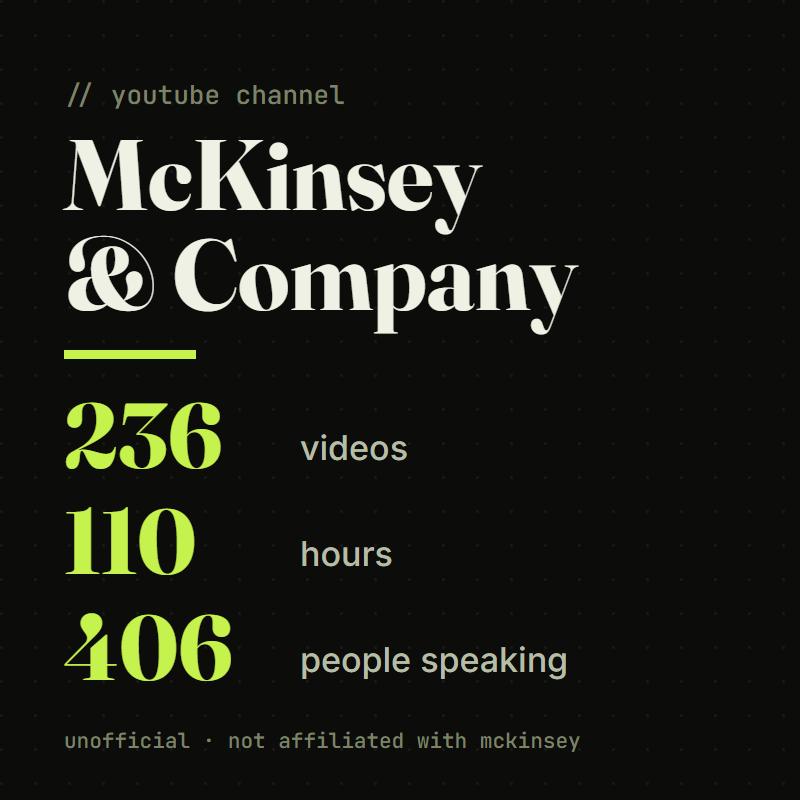
An unofficial, free add-on for Claude and ChatGPT. Ask a business question and get what was said in 236 videos from the McKinsey & Company YouTube channel: their advice, their research and the people they interview, with a link to the exact moment it is said.
Who is McKinsey & Company?
McKinsey & Company is one of the largest management consulting firms in the world, founded in 1926. It advises companies and governments on strategy, technology, people and operations.
- On its YouTube channel it publishes podcasts, conversations with CEOs, webinars, author interviews and short explainers.
- 406 people speak in these videos: 272 McKinsey partners and researchers, plus the client executives, authors and academics they interview. Every answer says which one is speaking.
- The biggest topics are AI in business, the future of work, leadership, strategy, energy, and geopolitics and trade.
What it is built from: 236 videos from the McKinsey & Company YouTube channel, from January 2025 to November 2026, each four minutes or longer. About 110 hours. It covers what was said on camera, not the full reports and articles on mckinsey.com.
Seven things it helps you with.
You describe your situation the way you would tell a colleague. It answers with what was said in the videos, tells you whose view each point is (McKinsey's, a client's or an outside expert's), and shows you where in the video it is said.
- You have a business decision to make.It shows what McKinsey people recommend for someone in your role, why it works, and where someone did it.Ask: "Our AI pilots never make it into production. I am the CEO. What would McKinsey do?"
- You have a plan and want it tested.It lists the mistakes they warn about that your plan is making, and what they say to do instead.Ask: "Here is our plan to roll out AI agents in customer service. What would McKinsey warn us about?"
- You need numbers for a deck.It gives you the research figures said in the videos, with their source, and tells you when a number has no source.Ask: "What share of companies get real value from AI, according to McKinsey research?"
- You want to know where your industry is heading.It lists their predictions, whose prediction each one is, and the year it is about.Ask: "What does McKinsey expect for data centres and power demand?"
- You want real examples.It finds cases and AI uses from real companies, and you can narrow them to your industry.Ask: "Show me real examples of AI agents in customer service."
- You want an idea or framework explained.It explains it in simple words: what it is, how it works and when it applies.Ask: "Explain scenario planning in simple words."
- You want to work at McKinsey.It tells you what their own people say about applying and about the interviews.Ask: "How do I prepare for a McKinsey case interview?"
Add it to Claude or ChatGPT.
It takes about two minutes and you only do it once. You need one thing: this link. Copy it now.
https://mckinsey.3nuggets.io/mcpInstall it in Claude
Works on every Claude plan, including Free. The Free plan allows one add-on like this.
- Open claude.ai in your browser and sign in. The Claude desktop app works the same way.
- Go to Customize, then Connectors. This link takes you straight there: claude.ai/customize/connectors.
- Click + Add. Then click Add custom connector.
- A small window opens. In the name box, type McKinsey. In the URL box, paste the link:
https://mckinsey.3nuggets.io/mcp. Click Continue. - Claude checks the link and asks how to sign in. Choose No sign in. Click Continue, then click Add.
- McKinsey now shows in your list of connectors. Open a new chat.
- At the bottom left of the message box, click the + button. Click Connectors. Switch McKinsey on.
- Type your question and send it. If Claude asks for permission to use McKinsey, click Allow.
try this firstOur AI pilots never make it into production. I am the CEO of a mid-sized retailer. What would McKinsey do?
Stuck? Claude's own instructions ↗
Install it in ChatGPT
Needs a paid ChatGPT plan. Do the setup at chatgpt.com in a web browser on a computer, not in the phone app.
- Open chatgpt.com/plugins in your browser and sign in. This is the Plugins page.
- Click the plus (+) button. Then click Add custom MCP server.
- In the name box, type McKinsey. You can leave the description empty.
- Under Connection, paste the link into the Server URL box:
https://mckinsey.3nuggets.io/mcp - For authentication, choose No authentication.
- ChatGPT shows a warning about connecting outside servers. Read it, then select I understand and want to continue. Click Create as a plugin.
- Find McKinsey in your list of plugins and install it.
- Open a new chat. In the message box, type @ and choose McKinsey. Then type your question and send it.
try this first, after choosing it with @Our AI pilots never make it into production. I am the CEO of a mid-sized retailer. What would McKinsey do?
Stuck? If you do not see Add custom MCP server, your plan or your company's ChatGPT admin does not allow it yet. On some accounts you first open Settings, then Security and login, and turn on Developer mode. OpenAI's own instructions ↗
This is free and there is no signup. It is unofficial: it is not made by McKinsey & Company, McKinsey is not involved, and it has not endorsed it. I built it as a viewer of public videos. All the content belongs to McKinsey & Company and the people who speak in its videos, and every answer links back to the videos. It covers what was said on camera, not McKinsey's reports or articles. Built by Dimitris Goudis at 3nuggets. Want the same thing built from your own business knowledge? See how a Sprint works →